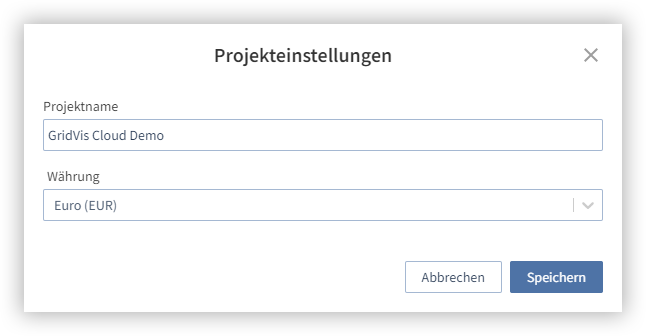
In den Projekteinstellungen wird der Name und die Währung für das Projekt festgelegt. Gehen Sie wie folgt vor, um den Projektnamen zu ändern:
- Öffnen Sie die Projekteinstellungen
- Geben Sie den neuen Projektnamen ein
- Klicken Sie auf die Schaltfläche Speichern
Hinweis
Beachten Sie, dass beim Ändern der Währung keine Umrechnung stattfindet. Die Änderung der Währung ändert nur die Darstellung in der GridVis Cloud.
Gehen Sie wie folgt vor, um die Projektwährung zu ändern:
- Öffnen Sie die Projekteinstellungen
- Klicken Sie auf das Dropdown-Menü und wählen Sie die neue Währung aus.
- Klicken Sie auf die Schaltfläche Speichern
Hinweis
Die Projekteinstellungen können nur mit entsprechenden Administrator-Rechten angezeigt und geändert werden.
Die Rechtevergabe finden Sie im Bereich Rollen-Prinzip über den Janitza ID Server.