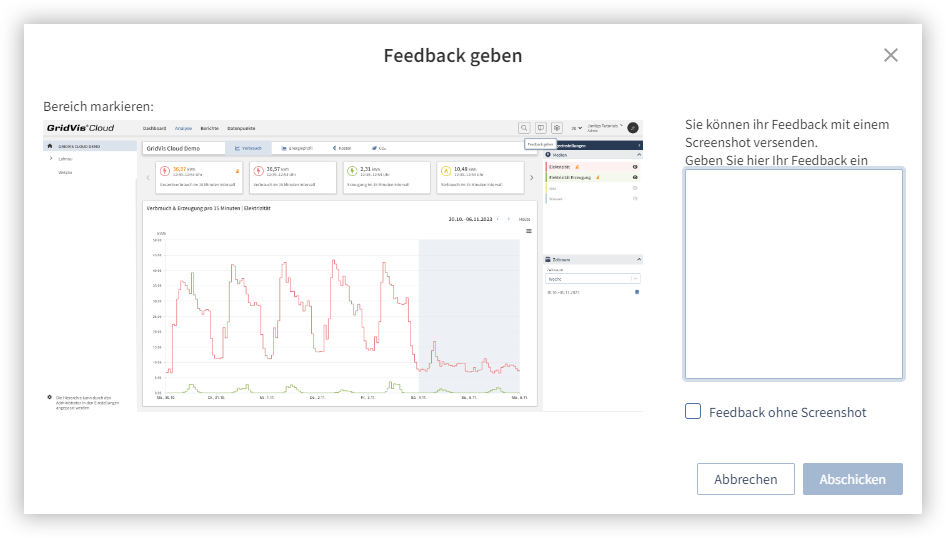
Mit Hilfe der integrierten Feedback-Funktion können Sie Funktionswünsche und gewünschte Anpassungen oder Verbesserungen direkt an Janitza übermitteln:
- Klicken Sie im rechten Bereich der Kopfzeile auf die Schaltfläche Feedback (
 ).
). - Geben Sie im Kommentarfeld Ihr Feedback zur Anwendung ein.
- Klicken Sie auf die Schaltfläche Senden, um das Feedback an Janitza zu übermitteln.
Hinweis
Es wird ein Screenshot der aktuellen Ansicht erstellt und im Feedback hinterlegt. Klicken Sie auf eine bestimmte Stelle im Screenshot, um dort eine Markierung zu setzen und auf diese Stelle hinzuweisen. Durch Aktivieren der Checkbox Feedback ohne Screenshot können Sie den erstellten Screenshot wieder entfernen und nicht mitsenden.